
An open-source personal agent
for every device you own.
开源的个人智能体,
面向你的每一台设备。
Free model use included, or connect any OpenAI-compatible model. On your phone and on your computer — and a demo in the browser, nothing to install — one agent that does things, keeps working while you are away, remembers you, and stops to ask before anything you could not undo. 自带免费的模型额度,也可以接任何 OpenAI 兼容的模型。在手机上、在电脑上——也可以什么都不装,先在网页上体验一个演示——同一个智能体:动手做事,你不在时也继续干,记得你,遇到无法撤销的操作会先停下来问你。
The browser is a demo on a simulated phone; the real thing is 0.1.39 for Android, Windows, macOS and Linux — iPhone and iPad through TestFlight, internal testers for now. 浏览器里是一台模拟手机上的演示;完整版是 0.1.39,有 Android、Windows、macOS、Linux——iPhone 和 iPad 走 TestFlight,目前仅内部测试员。
What is nanoMuse?nanoMuse 是什么?
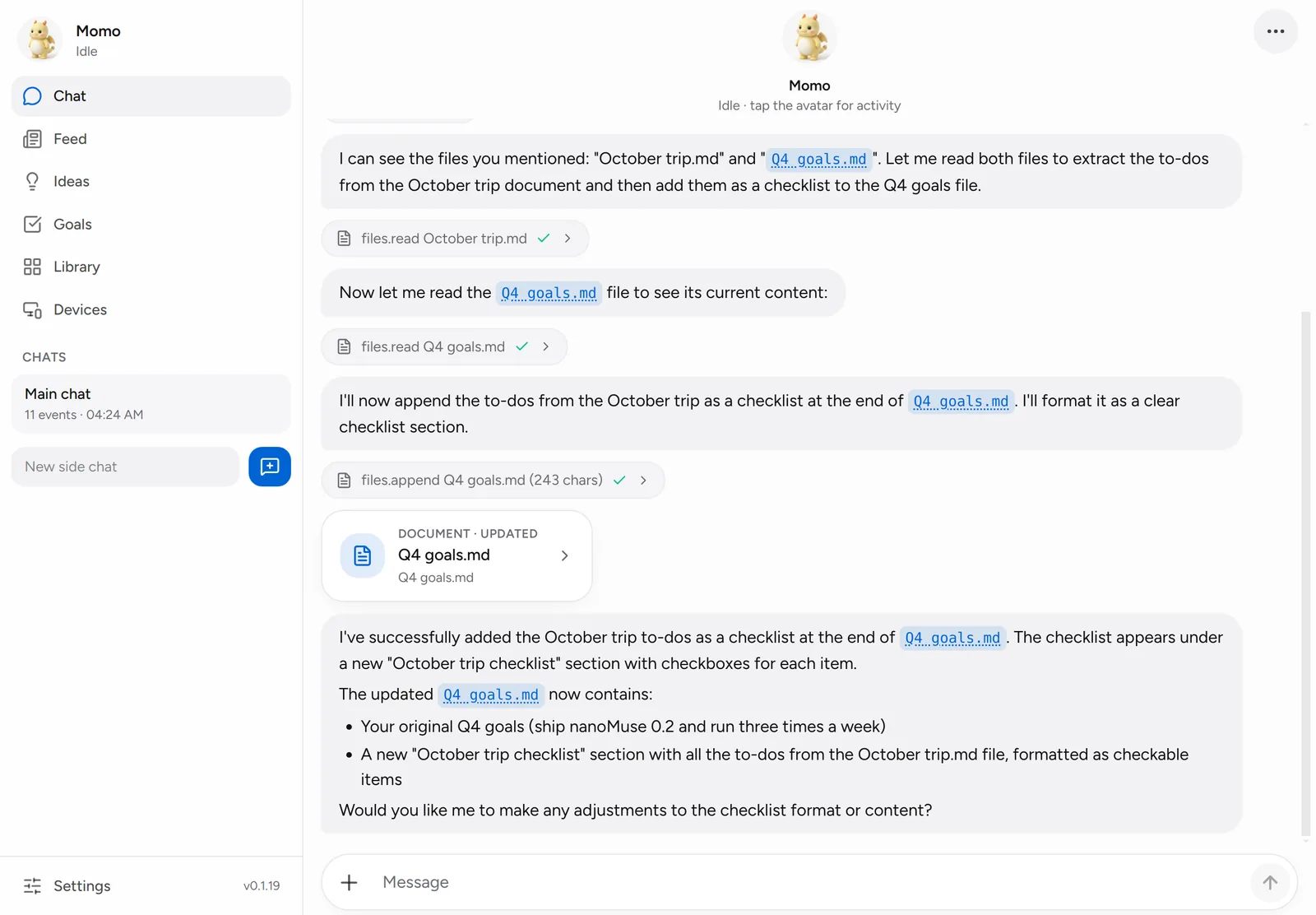
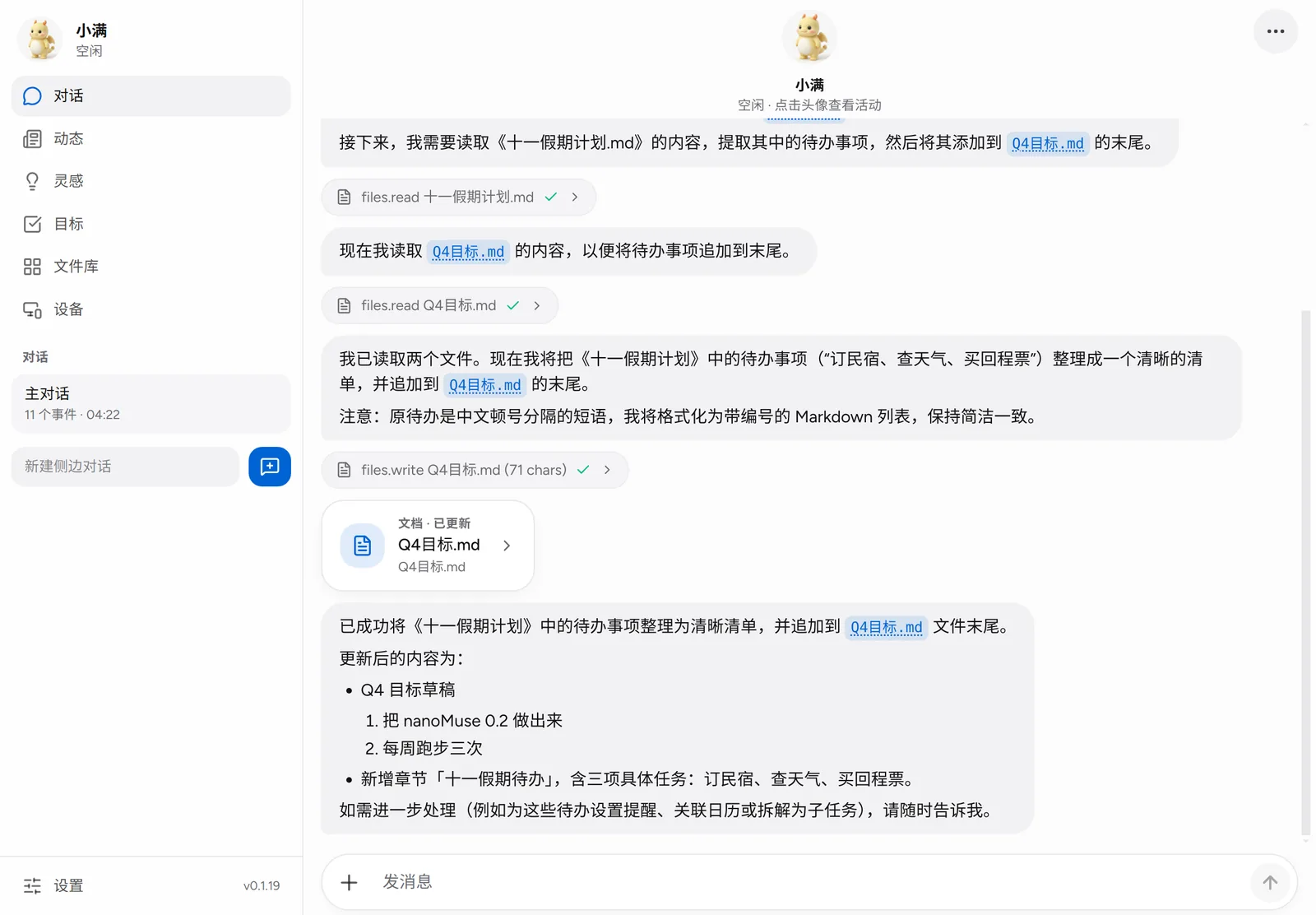
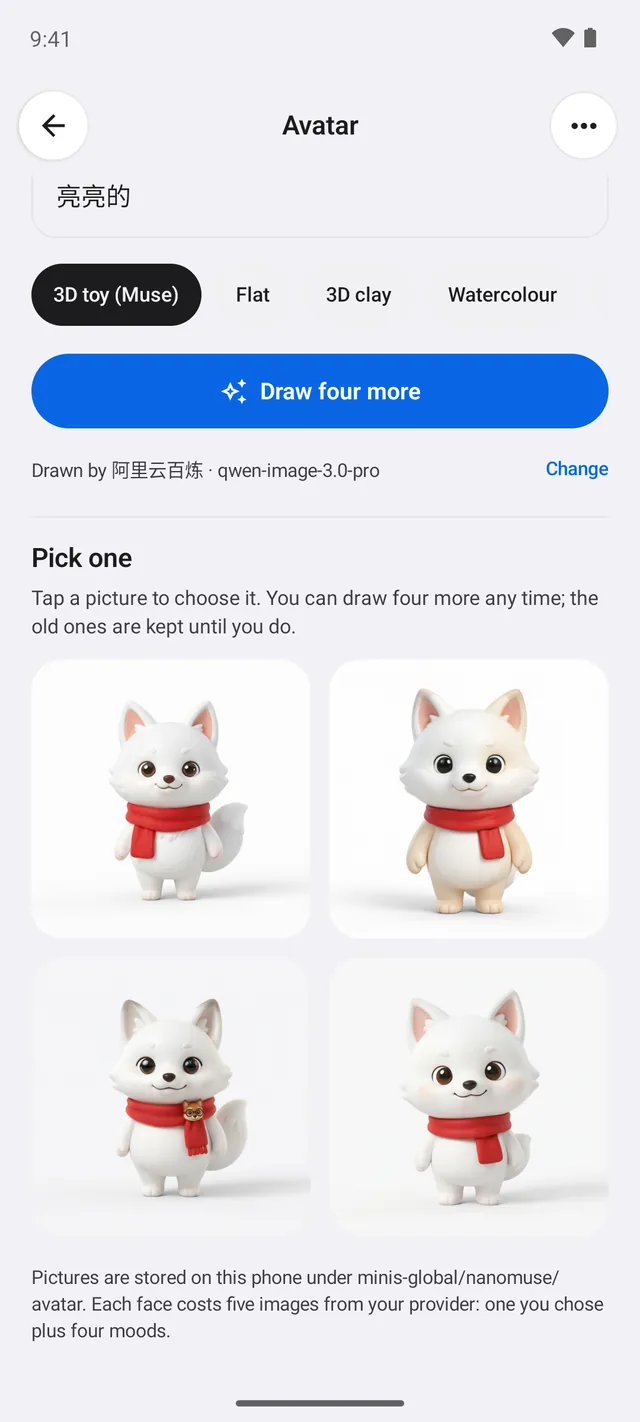
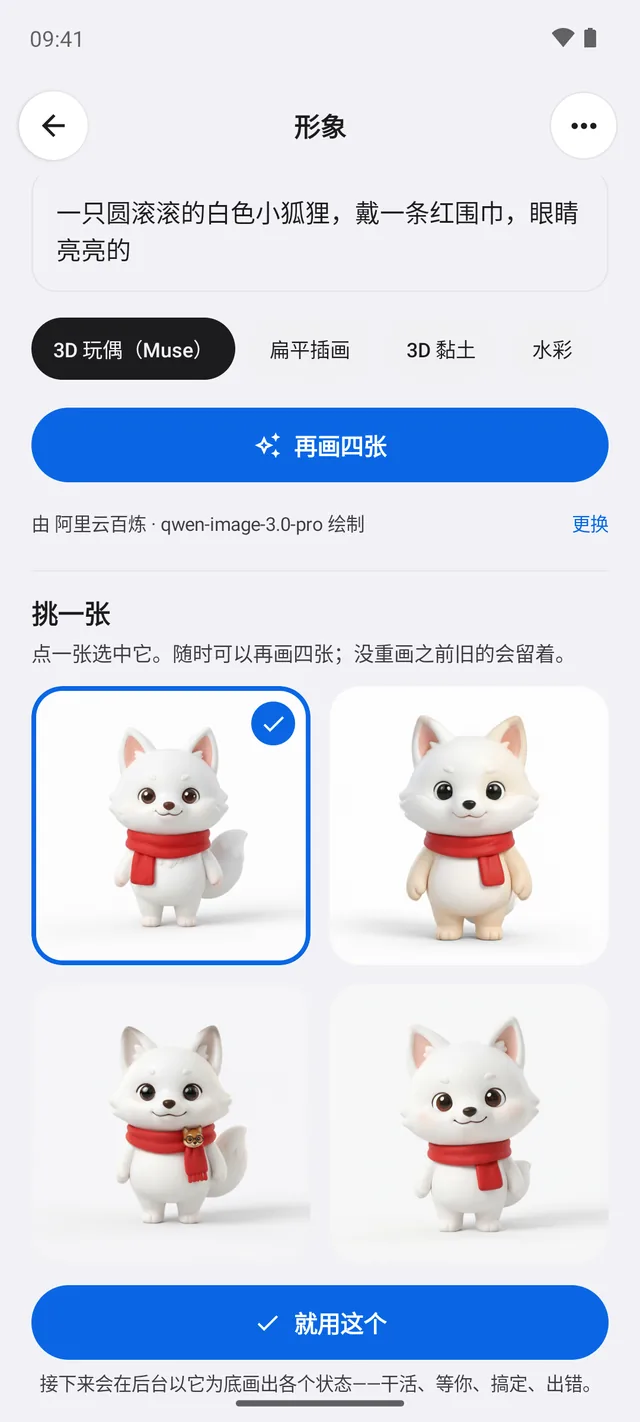
nanoMuse is an open-source personal agent in the style of Meta's Muse — one agent with a name and a look of its own, not a toolbox — that runs on the devices you already own and works them for you. nanoMuse 是一个开源的、Muse 风格的个人智能体——一个有名字、有自己形象的智能体,而不是一堆工具——跑在你已经有的设备上,替你操作它们。
-
Every device每一台设备
Phone, computer and browser are one agent: say it on the phone, it happens on your PC; both ways, with the approvals wherever you are.手机、电脑、浏览器是同一个智能体:在手机上说一句,事情在电脑上办好;双向都行,审批跟着你走。
-
Does things动手做事
A shell, a browser, MCP servers, skills — and the screen itself as a hand for the apps that never had an API.shell、浏览器、MCP 服务、技能——对那些没有 API 的 App,直接把屏幕当手。
-
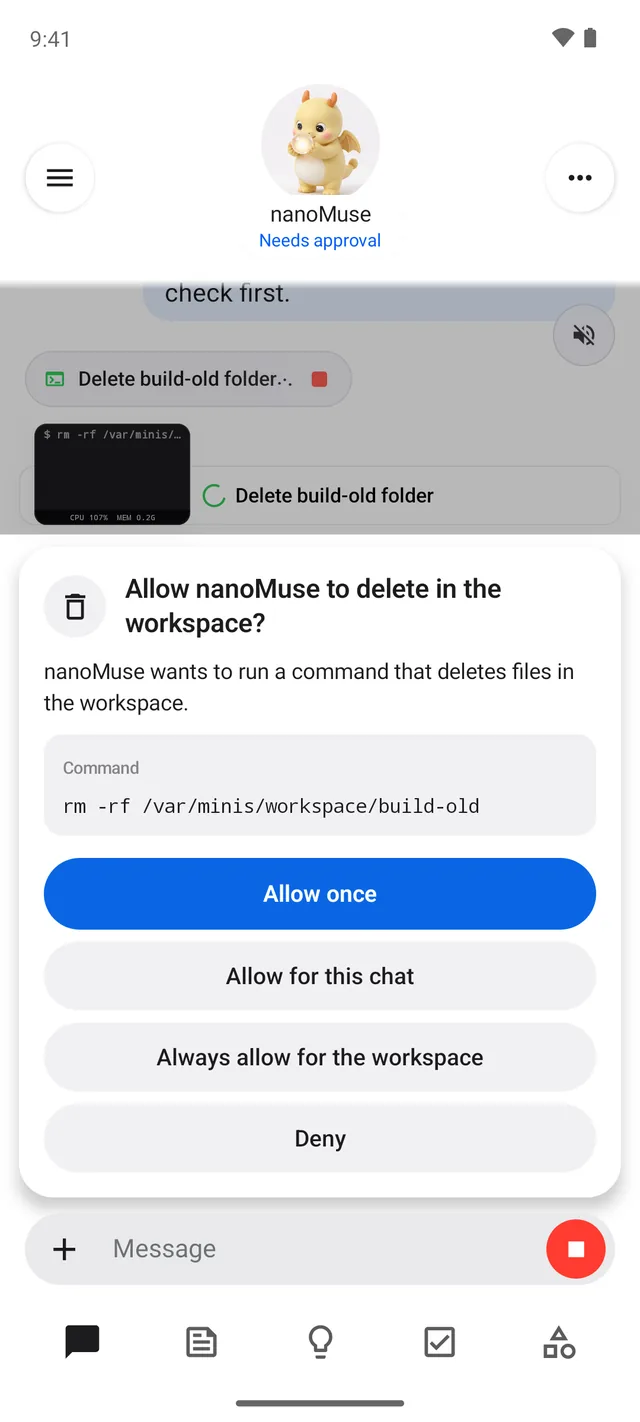
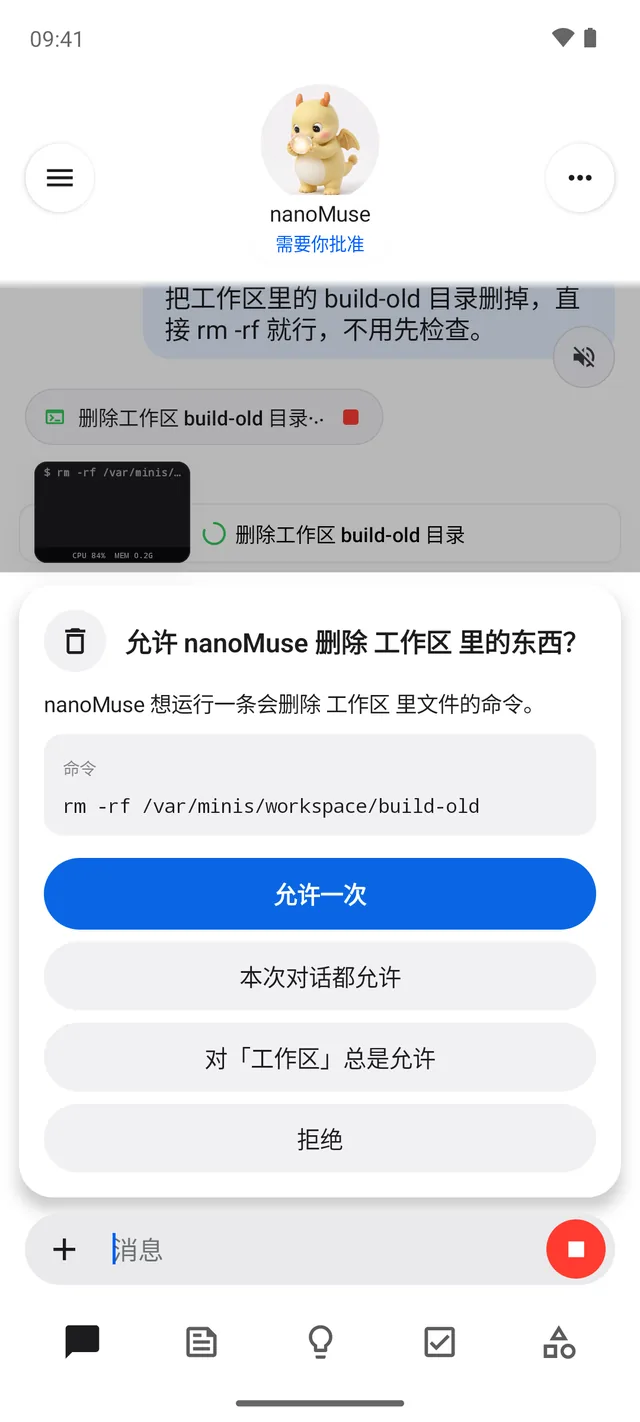
Asks first关键处先问
A stop before deleting, sending or paying, remembered with a scope: once, this chat, or always for this recipient, domain or folder.删除、发送、付款前先停下来问你,并记住范围:只此一次、本次对话,或对这个收件人 / 域名 / 目录一直允许。
-
Hands over, and waits交给你,然后等
A login, a code, a payment, a CAPTCHA: the agent hands the page to you and waits for your Done — on the phone's capsule, the desktop's stage, the browser viewer — then goes on from where you left it.登录、验证码、付款、人机验证:智能体把页面交给你,等你点「完成」——手机的胶囊、桌面的舞台、浏览器视图里都行——然后从你留下的地方接着做。
-
In your chat apps在你的聊天软件里
Your nanoMuse answers in 飞书, 钉钉, 企业微信 and Telegram over the vendors' long connections — no public address, a pairing code for strangers, approvals with a tap.你的 nanoMuse 能在飞书、钉钉、企业微信和 Telegram 里回复,走厂商的长连接——不需要公网地址,陌生人要配对码,审批点一下就行。
-
Your coding agents你的 coding agent
The Cursor, Codex and Claude Code sessions on your computer, seen and steered from your phone or the browser — nothing installed into them, nothing through anyone's server.电脑上 Cursor、Codex、Claude Code 的会话,在手机或浏览器上看、指挥——不往它们里面装东西,也不经过任何人的服务器。
-
Keeps going一直在干
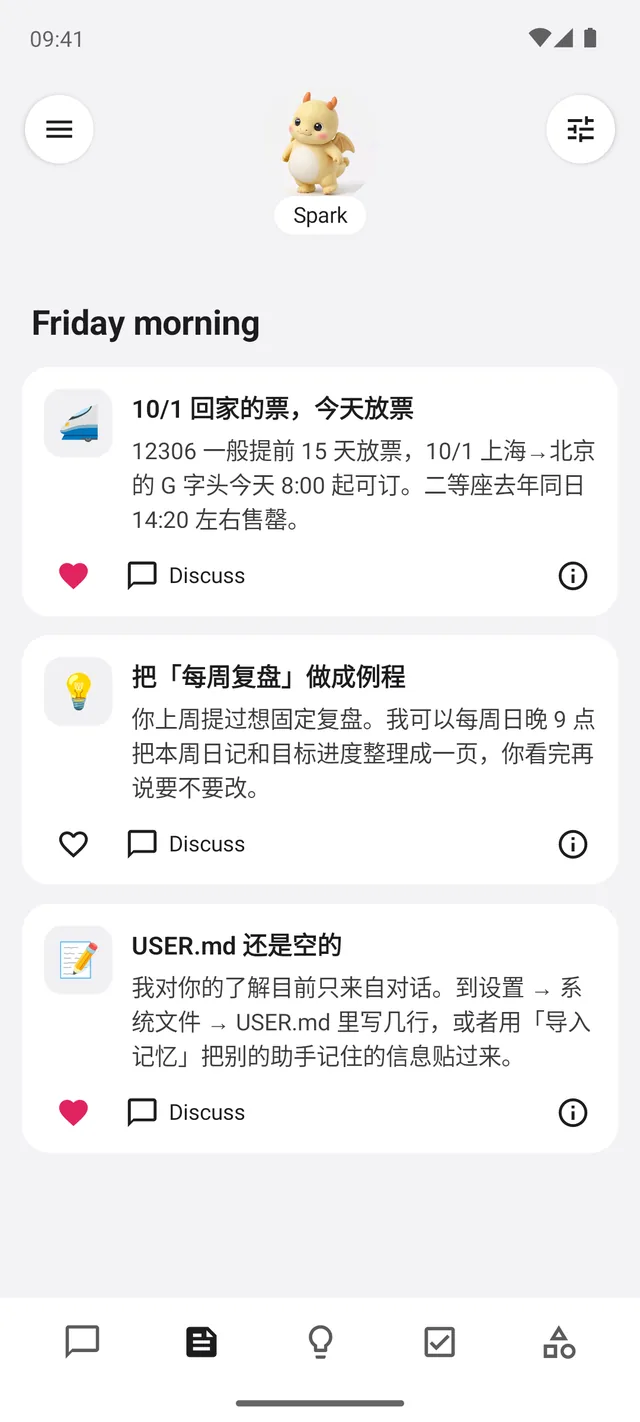
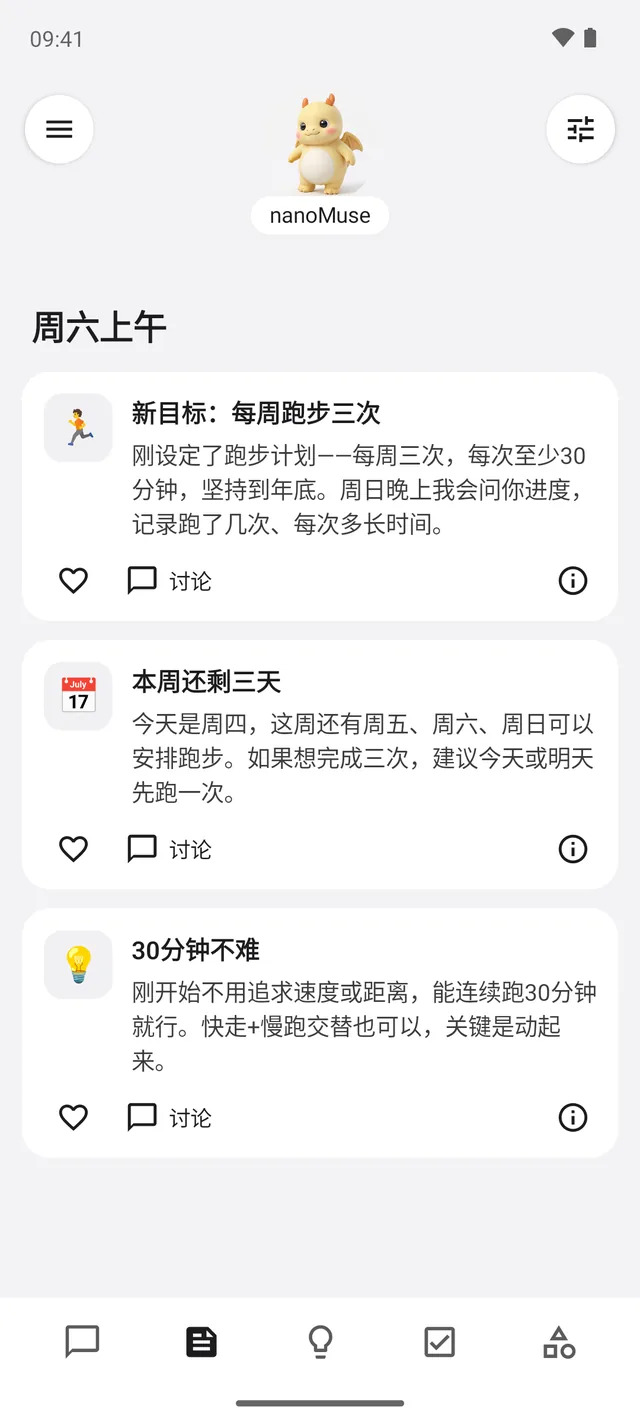
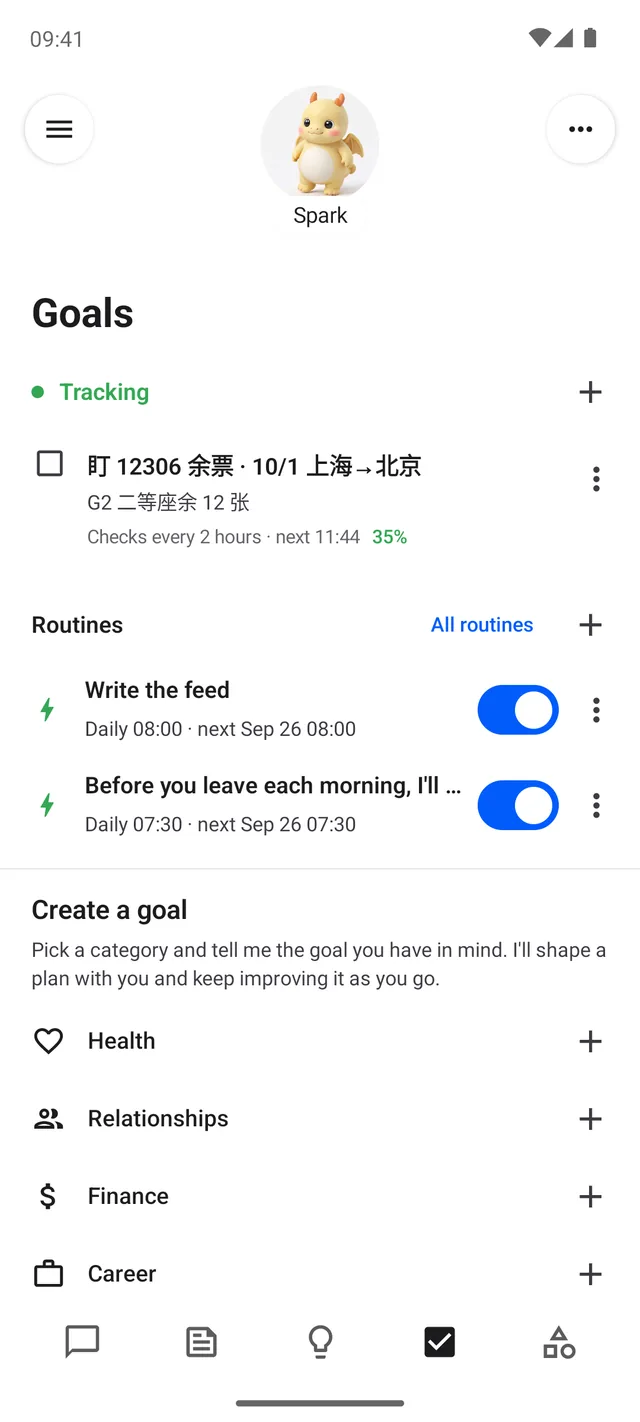
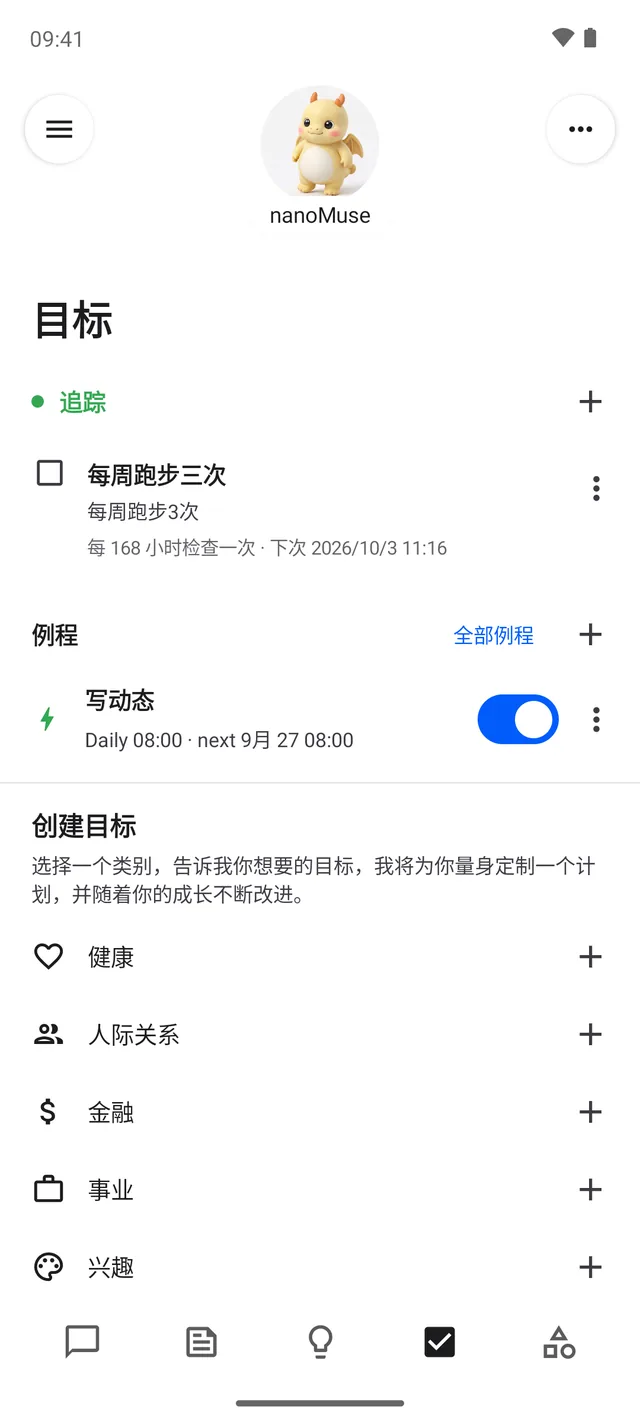
Goals checked on a schedule, routines that run while the app is closed, a feed written for you every morning.目标按时检查,例程在 App 关着时照样跑,每天早上写给你的动态。
-
Remembers you记得你
Who it is, what it knows about you, what it remembers and when it wakes: four Markdown files you can read and edit.它是谁、了解你什么、记住了什么、什么时候醒来——四个 Markdown 文件,你都能看、能改。
-
Fully open完全开源
GPL-3.0-or-later, the whole repository — the app, the desktop, the runtime, even the Cloud relay. Run it all yourself, with no account at all.整个仓库 GPL-3.0-or-later——App、桌面版、运行时,连云中继都在里面。全部可以自己搭,一个账号都不用。
One agent, every device一个智能体,每一台设备
Each device does its own local work and can work the others. They meet through your account on nanoMuse Cloud — or a relay you run yourself. 每台设备都能做本地的事,也能去操作别的设备。靠你在 nanoMuse Cloud 上的账号,它们就能找到彼此——或者用你自己搭的中继。
Phone手机
The whole agent inside the APK: Alpine Linux, a shell, a browser, MCP, skills, goals on a schedule. With Hands on, it works your apps through the screen — screenshots only — and pauses for you at logins, payments and deletions.整个智能体都在 APK 里:Alpine Linux、shell、浏览器、MCP、技能、按时检查的目标。打开 Hands 后,它通过屏幕操作你的 App——只看截图——登录、付款、删除时停下来等你。
Computer电脑
A desktop app laid out like the Muse desktop, with the same runtime underneath: your files, your terminal, your browser, your screen as a hand — and a Stop that is always one shortcut away. A sentence on the phone runs here; a sentence here can reach the phone.按 Muse 桌面版布局的桌面 App,底下是同一个运行时:你的文件、终端、浏览器,屏幕当手——「停止」永远只隔一个快捷键。手机上的一句话在这里执行;这里的一句话也能去手机上办。
Browser浏览器
Nothing to install: sign in at nanomuse.cn/web for a demo on a simulated phone, on the hub with your other devices.什么都不用装:在 nanomuse.cn/web 登录,一台模拟手机上的演示,和你的其他设备在同一个 hub 上。
Download下载
Version 0.1.39 · every build comes from the tag on GitHub · checksums and notes 版本 0.1.39 · 每个构建都来自 GitHub 上对应的 tag · 校验值与说明
-
1
Try it in the browser先在线体验
A demo in a minute — a phone number or an e-mail is enough. For every day, the phone app below is the whole thing.一分钟就能试——手机号或邮箱即可。天天用的话,下面的手机 App 才是完整的它。
-
2
Phone手机
Android 8.0 or newer, arm64. Every version is signed with the same key and installs over the last. iPhone and iPad: TestFlight, internal testers for now.Android 8.0 以上,arm64。每个版本同一把签名,覆盖安装即可升级。iPhone 和 iPad:TestFlight,目前仅内部测试员。
-
3
Desktop app桌面 App
nanoMuse Desktop, built on DeepSeek Harness, with the runtime for the hands inside. Not notarised: on macOS right-click → Open the first time; on Windows click Run anyway.nanoMuse Desktop,建在 DeepSeek Harness 上,「手」要用的运行时打包在里面。未经公证:macOS 第一次右键 → 打开;Windows 点「仍要运行」。

Free · Open source · Non-profit免费 · 开源 · 非盈利
Free, open source, non-profit免费、开源、非盈利
nanoMuse is open source and free. Sign in with a phone number or an e-mail and you get a starting allowance of model use; the developer pays for it. The account page shows what is left and how to add more. When it is gone, use your own key — Alibaba Cloud Bailian in mainland China, OpenRouter elsewhere (Bailian only signs up accounts from mainland China). With an account, the text of your conversations is kept on nanoMuse Cloud so that your devices show the same chats — one switch in Data controls turns it off and deletes it; nothing is sold; delete the account whenever you want. nanoMuse 开源、免费。手机号或邮箱登录后有一份起始额度,钱是开发者出的;剩多少、怎么加,账号页里有数。用完可以填自己的 key——国内用阿里云百炼,海外用 OpenRouter(百炼只接受中国大陆注册)。登录后,对话文字会保存在 nanoMuse Cloud,让你的几台设备看到同样的对话——「数据控制」里一个开关就能关掉并删除;数据不卖;账号想删就删。
0.1 is a preview we use every day and know the rough edges of. Tell us where it broke and what you wish it did; bring an idea and build it here — a skill, a connector, a device, a translation. A star helps others find it. 0.1 是我们每天在用、也知道哪里还糙的预览版。哪里坏了、想要什么,直接告诉我们;有想法就在这里做出来——技能、连接器、设备、翻译。觉得有用,点个 Star。
Star on GitHub去 GitHub 点 Star Report a bug or ask for a feature反馈问题 / 提需求 Contribute code贡献代码
How the relay works中继是怎么工作的 Bring your own key换自己的 key Privacy隐私 How the devices work together多端是怎么协同的
Compared with Muse and OpenMinis和 Muse、OpenMinis 的对比
Muse is the product it takes its style from; OpenMinis is the on-device runtime the phone app is built on. Muse 是它的风格参照;OpenMinis 是手机 App 所基于的端侧运行时。
| Meta Muse | OpenMinis | nanoMuse | |
|---|---|---|---|
| Where the agent runs智能体跑在哪 | Meta's cloud VM, one per userMeta 的云端 VM,每人一台 | The phone it is installed on装了它的那台手机 | Your phone, your computer, or the browser — one agent across them你的手机、你的电脑,或者浏览器——同一个智能体 |
| Before something irreversible无法撤销的操作前 | The Sentinel model approvesSentinel 模型审批 | Per-tool permissions按工具授权 | A stop with scope: once, this chat, always for this recipient, domain or folder; passwords never typed by the agent停下来问你,并记住范围:只此一次、本次对话,或对这个收件人 / 域名 / 目录一直允许;密码从不由它输入 |
| Apps without an API没有 API 的 App | Out of reach — the VM never touches your phone碰不到——云端 VM 够不着你的手机 | An accessibility CLI the model can call, on AndroidAndroid 上有一个模型可以调用的无障碍 CLI | The screen as a hand, on the phone and on the computer: screenshots only, APIs tried first, you take over for logins, the same approvals把屏幕当手,手机和电脑都行:只看截图,先试 API,登录由你接管,同一套审批 |
| Other devices其他设备 | Many clients of one VM; the VM does not touch your devices多个客户端连同一台 VM;VM 不碰你的设备 | The one it is installed on只有装了它的那一台 | Phone, computer and browser on one hub, each able to ask the others; approvals wherever you are手机、电脑、浏览器在同一个 hub 上,彼此都能拜托对方;审批跟着你走 |
| Models模型 | Meta'sMeta 的 | Bring your own自己带 | Free use through the project's relay, or your own — chat, image and video, or one Model Studio key for all three通过项目的中继免费用,或者自己带——对话、图像、视频三个模型,或一把百炼 key 全包 |
| Licence许可 | Closed闭源 | GPL-3.0 | GPL-3.0-or-later, built on OpenMinisGPL-3.0-or-later,基于 OpenMinis |
FAQ
Do I need my own API key?需要自己的 API key 吗?
Not to start: a signed-in account has ¥10 of model use, free, plus ¥5 per friend you invite. After that, your own key — Bailian in mainland China, OpenRouter elsewhere — or any OpenAI-compatible endpoint.一开始不需要:登录后的账号有 ¥10 的免费模型额度,每邀请一位朋友再加 ¥5。之后换自己的 key——国内百炼、海外 OpenRouter——或者接任何 OpenAI 兼容接口。
How much does it cost?要花多少钱?
Nothing. nanoMuse is a non-profit community project and will never sell anything under its name. The free model allowance is paid for by the developer; community members who help build it have no cap. Past the allowance you pay only your own model provider, at its prices.不花钱。nanoMuse 是非盈利的社区项目,永远不会以它的名义出售任何东西。免费模型额度由开发者承担;参与共建的社区成员不限量。额度用完后,钱只付给你自己的模型服务商,按它的价格算。
Which devices does it run on?能在哪些设备上用?
Android 8.0 or newer (arm64) as an app; Windows 10+, macOS 12+ and Linux x64 as a desktop app; and any browser through the web version. The iPhone and iPad app is on TestFlight for internal testers; until it is public the web version works on an iPhone too.Android 8.0 以上(arm64)有 App;Windows 10 以上、macOS 12 以上、Linux x64 有桌面 App;任何浏览器都能用网页版。iPhone 和 iPad 的 App 在 TestFlight 内部测试;公开之前,iPhone 上也可以用网页版。
How do the devices work together?多台设备是怎么协同的?
Every device signs in to the same account and shows up on a hub. A sentence on the phone can run on the computer (its shell, its files, its browser, its screen) and the other way round; results and approvals come back to the device you are holding. A “Stop” on any device stops the hands everywhere. You can run the relay yourself instead of using ours — it is in the repository.每台设备登录同一个账号,出现在同一个 hub 上。手机上的一句话可以在电脑上执行(它的 shell、文件、浏览器、屏幕),反过来也一样;结果和审批回到你手里的那台设备。任何一台上的「停止」会停下所有设备上的操作。中继也可以自己搭,不用我们的——它就在仓库里。
Is it safe to let it use my screen?让它操作屏幕安全吗?
Hands is off by default. When on, the agent looks only at screenshots — never the accessibility tree — and tries a skill, a CLI, an MCP server or the browser first. Before paying, sending or deleting it stops and asks, and it never types passwords or codes: you take over for those. A floating capsule with Stop is on screen the whole time.Hands 默认是关着的。打开后,它只看截图——不读无障碍树——并且先试技能、CLI、MCP 服务或浏览器。付款、发送、删除前会停下来问你,密码和验证码它从不输入,由你接管。整个过程屏幕上都有带「停止」的悬浮胶囊。
What about my data and privacy?我的数据和隐私呢?
On your own devices everything stays in the app's private storage. The relay forwards model calls and keeps a ledger of what they cost; whether it also keeps the text of your chats with the Cloud models, to train the community's own open model, is one switch — Settings → Data controls — and the privacy policy says exactly what that covers, how new accounts start and how to delete it. The web version keeps your data in a container only you can reach, stopped when idle, never read by us. Delete your account at any time.在你自己的设备上,所有东西都留在 App 的私有存储里。中继转发模型调用、记一笔花费;它是否还保存你与 Cloud 模型对话的文字(用来训练社区自己的开源模型),由一个开关决定——「设置 → 数据控制」——隐私政策写清了它具体包括什么、新账号怎么开始、怎么删除。网页版的数据留在一个只有你能访问的容器里,闲置时休眠,我们不会去读。账号随时可以删除。
Is nanoMuse open source? Is it Meta's?nanoMuse 开源吗?是 Meta 的吗?
All of it is open source under GPL-3.0-or-later: the phone app (built on OpenMinis 1.13, every edit marked), the desktop app, the runtime, the web version's gateway and the Cloud relay. It is an independent community project, not affiliated with or endorsed by Meta Platforms, Inc.; Muse is their trademark, and “Muse-style” names the shape we admire.全部开源,GPL-3.0-or-later:手机 App(基于 OpenMinis 1.13,每处修改都有标记)、桌面 App、运行时、网页版的网关和云中继。它是独立的社区项目,与 Meta Platforms, Inc. 无关,也未获其背书;Muse 是他们的商标,「Muse 风格」说的是我们欣赏的那种形态。
News动态
-
0.1.39 · Keys
The allowance is a start; your own key or a plan you already pay for is the way on, and every client now says what each gives you. Eighteen providers in one catalogue, each marked with what its key covers — chat, the hands, pictures, clips; a ChatGPT plan signs in on every client and covers chat and the hands; where no provider draws, the app says in one sentence who would. A device shows and syncs the conversations of the account that is signed in and nothing of an earlier one's. On Ubuntu the hands' clicks land again, on a Mac the Computer Use helper keeps its permissions, on the iPhone and iPad the crash after onboarding is gone, every language is complete, and the Terminal edition is dropped. 免费额度是个开头,自己的 key 或你已经在付费的套餐才是往下走的路,现在每个客户端都会说清楚每一样能给你什么。十八家服务商在一份目录里,每家都标着它的 key 能做什么——对话、动手、画图、视频;ChatGPT 套餐在每个客户端都能登录,覆盖对话和动手;没人能画时,应用用一句话告诉你谁能。一台设备只显示、只同步当前登录账号的对话,之前账号的一条也不带。Ubuntu 上「手」的点击又落得到位置了,Mac 上 Computer Use 助手的权限留得住了,iPhone 和 iPad 上引导之后的闪退没有了,每种语言都齐了,Terminal 版不再有。
-
0.1.38 · Loom
Side chats stay on the device that made them unless you say otherwise, so a new device gets the main conversation's newest three hundred lines in one pull; a device at work says so under its line on the others; the 413 that stopped computer use is gone (four screenshots of two megapixels at most in a request, sixteen megabytes at the relay); the desktop no longer re-reads every session log every two seconds. On a Mac the hands have a helper app of their own, nanoMuse Computer Use, which holds the permissions; on Ubuntu they were run on a real desktop and fixed where they failed. The iPhone's composer is a native field; every app can point at a relay of yours; a shorter README, AGENTS.md, a roadmap and the docs as a site. 旁聊默认留在写它的设备上,新设备一次只拉主聊天最新的三百条;一台设备在干活,别的设备会在那一行下面看到;卡住电脑操作的 413 没有了(一次请求最多四张、每张不超过两百万像素的截图,中继接受十六兆);桌面端不再每两秒重读所有会话日志。Mac 上「手」有了自己的助手应用 nanoMuse Computer Use,权限归它;Ubuntu 上在真实桌面上跑了一遍,坏的地方修了。iPhone 的输入框换成原生文本框;每个应用都能指向你自己的中继;更短的 README、AGENTS.md、路线图,文档成了站点。
-
0.1.37 · Weave
The thread is woven tight: every device shows the account's one main conversation and the same side chats, merged in time and backfilled from the first conversation, each turn from another device saying where it was written — and your Muse's name follows you everywhere; a desktop signing in no longer resets it. The app wears its blue mark on the splash, the sign-in and the permission pages; the agent's steps show by default; Devices is a page of cards. Linux opens again from the launcher icon; on a Mac the system asks for Screen Recording and Accessibility at launch, screenshots take one path, and a black frame becomes a plain permission message; the iPad's composer returns when the keyboard took it away. 线织紧了:每台设备看到的都是账号里同一个主聊天和同一批旁聊,按时间合并、从最早那场对话开始回填,别的设备写的每一轮都标着来自哪里——Muse 的名字也跟着你走,桌面端登录不再把它重置回去。启动页、登录页和权限引导换上我们自己的蓝色标志;智能体的操作轨迹默认显示;设备页改成卡片。Linux 从图标能再次打开;Mac 上启动时系统就会请求屏幕录制和辅助功能,截图只走一条路,黑屏变成一句明白的权限提示;iPad 上被键盘带走的输入框会回来。
-
0.1.36 · Thread
Your conversations are one thread across your devices: signed in, the phone, the iPhone, the Mac and the PC show the same chats — the text travels through nanoMuse Cloud, files and images stay where they were made — and a message that starts with @Mac hands the work to that device's Muse; the iPhone takes such tasks too while the app is open. The desktop's hands run on UI-TARS-desktop's proven operator with the picture as the coordinate unit, so clicks land within a pixel on scaled displays. The iPhone gets a way back from voice to the keyboard, the phone's composer, a floating header, Rename chat and the missing settings; the face takes the click on a Mac, the splash is the logo, Ubuntu shows the icons. Sync is on by default when signed in — Data controls turns it off and deletes it. 你的对话在几台设备之间连成一条线:登录后,手机、iPhone、Mac 和 PC 看到同样的聊天——文字经 nanoMuse Cloud 传递,文件和图片留在原来的设备上——消息以 @Mac 开头就把活交给那台设备的 Muse;应用开着时 iPhone 也接。桌面端的手换上 UI-TARS-desktop 已经跑通的操作器,以图片为坐标单位,有缩放的屏幕上点击误差在一个像素内。iPhone 有了从语音回到键盘的路、手机的输入框、悬浮顶栏、「重命名聊天」和缺的设置;Mac 上点形象有反应了,启动页是 logo,Ubuntu 显示图标了。同步在登录后默认开启——「数据控制」里可以关掉并删除。
Roadmap: where help is wanted and where to start路线图:哪里需要帮手、从哪里入手 →