
Open source · MIT · inspired by Meta Muse 开源 · MIT · 灵感来自 Meta Muse
An open-source personal AI agent. 一个开源的个人 AI 智能体。
Tell nanoMuse what you need. It searches, browses, writes, taps through the apps on your phone, works your command-line tools and MCP servers, and asks before anything it cannot undo. It runs on your own machine, with any model — including the ones that work in China. 告诉 nanoMuse 你要什么。它会搜索、浏览、写文件,操作你手机上的 App,调用你的命令行工具和 MCP 服务,遇到无法撤销的操作先问你。它跑在你自己的机器上,模型随你选——包括国内直接可用的那些。
Android 8+, any CPU · Python 3.11+ on macOS, Linux, Windows · the first release is being tagged; main is the version to run.
Android 8 以上 · 电脑端需要 Python 3.11+ · 首个正式版正在打 tag,现在请用 main。
Sixty-six seconds: one task from “ask” to “done”, then the hands, the screen, the screens, the models, the plan. No sound. 66 秒:一个任务从「说一句」到「完成」,然后是它的手、手机屏幕、五个页面、模型和计划。无声。
Ask说一句
Type it or say it, the way you would text a friend who happens to be very good with computers.像给朋友发消息一样说一句就行——一个恰好很懂电脑的朋友。
It works它去干活
In the background, on your machine. Close the app; it keeps going and tells you in the Feed when it is done.在你的机器上后台执行。关掉 App 也不停,做完写进 Feed 告诉你。
It asks first关键处先问你
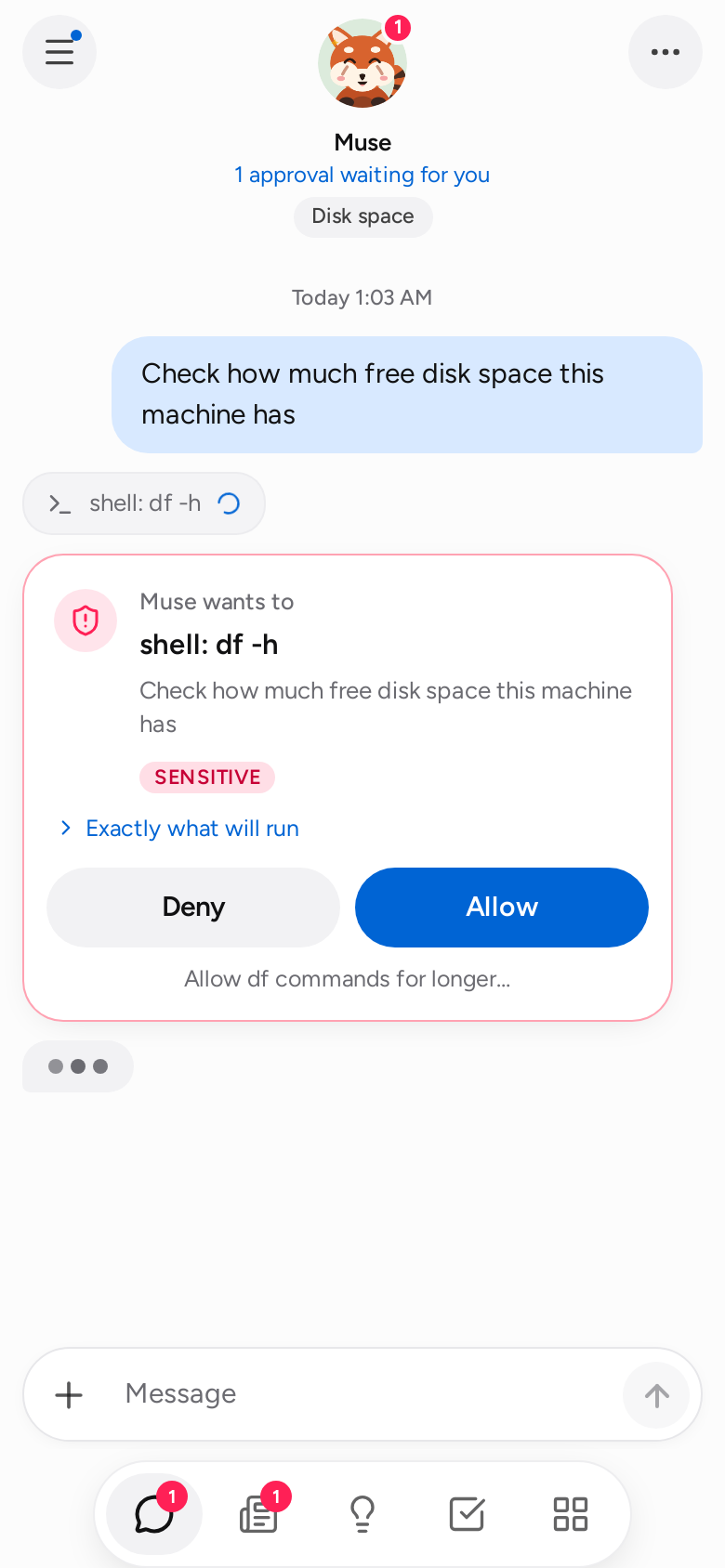
A separate Sentinel checks every action. Paying, sending, deleting — you see exactly what will run, and you Allow or Deny.独立的 Sentinel 检查每一步。付款、发送、删除——先给你看将要执行什么,由你放行或拒绝。
One agent, many hands一个智能体,很多只手
The phone screen is one way to get things done, not the only one. nanoMuse picks whichever hand fits the job and mixes them in a single task. 操作手机屏幕只是其中一种方式。nanoMuse 会挑合适的那只手,也会在同一个任务里换着用。
Web & files网页与文件
Searches, reads pages, writes documents and code into a workspace you can open.搜索、读网页,把文档和代码写进你能直接打开的工作区。
Shell, in a sandbox沙箱里的 Shell
Commands run inside bubblewrap and see only the folders you chose to share.命令在 bubblewrap 沙箱里运行,只看得到你选择共享的目录。
MCP serversMCP 服务
Any MCP server becomes tools. The example config wires 高德 maps: places, weather, routes, travel times.任何 MCP 服务都变成工具。示例配置里就接了高德地图:地点、天气、路线、通勤时间。
CLIs you already have你已有的命令行工具
The built-in 飞书 skill drives lark-cli: calendar, messages, docs, tasks — with your login, never its own.内置的飞书 skill 驾驭 lark-cli:日程、消息、文档、任务——用你的登录,而不是它自己的。
SkillsSkills
Agent Skills format. Nine are built in; drop a folder with a SKILL.md to teach it yours.Agent Skills 格式。内置九个,放一个带 SKILL.md 的文件夹就能加你自己的。
A real browser真正的浏览器
Chromium, when a site needs clicking, a login, or a form filled in.需要点击、登录、填表的网站,交给 Chromium。
The phone screen手机屏幕
Reads the screen and taps through apps that have no API — 12306, 美团, 高德 — and stops before it pays.读屏幕、点 App,对付那些没有 API 的应用——12306、美团、高德——付款前停下来问你。
Made for where you are为你所在的地方而做
The first built-in skills speak Chinese — 飞书, 高德, 12306 — because that is where the project lives and where the gaps were widest. A skill for your services is a folder with a SKILL.md. Each card is one sentence to nanoMuse and the hands it reaches for.
内置的第一批 skill 说中文——飞书、高德、12306——因为项目在这里生长,这里的空白也最大。你自己的服务,一个带 SKILL.md 的文件夹就能接上。每张卡片是对 nanoMuse 说的一句话,以及它会伸出的手。
“Friday I'm in Hangzhou. Find an afternoon train and send the fastest one plus the route to West Lake to the project group.”「周五去杭州,帮我看下午的高铁,把最快一趟和到西湖的路线发到项目群。」
“What's on tomorrow? Put my agenda and the open tasks into one 飞书 message to me.”「明天有什么安排?把日程和没做完的任务整理成一条飞书消息发我。」
“Is West Lake good for cycling tomorrow? Plan a 20 km loop.”「西湖明天适合骑行吗?给我规划一条 20 公里的环湖路线。」
“Order the braised chicken from last time. Call me at the payment step.”「点一份上次那家的黄焖鸡,到付款那步叫我。」
“Every Monday at 8, write a page on what changed last week in the three repos I follow.”「每周一早上 8 点,把我关注的三个仓库上周的变化写成一页。」
“Turn this PDF into a 飞书 doc with the key points and send it to the team.”「把这份 PDF 的要点整理成飞书文档,发给团队。」
All showcase tasks, with what each one produced →全部展示任务,以及每个任务的产出 →
Chat · Feed · Ideas · Goals · Library对话 · Feed · 灵感 · 目标 · 资料库
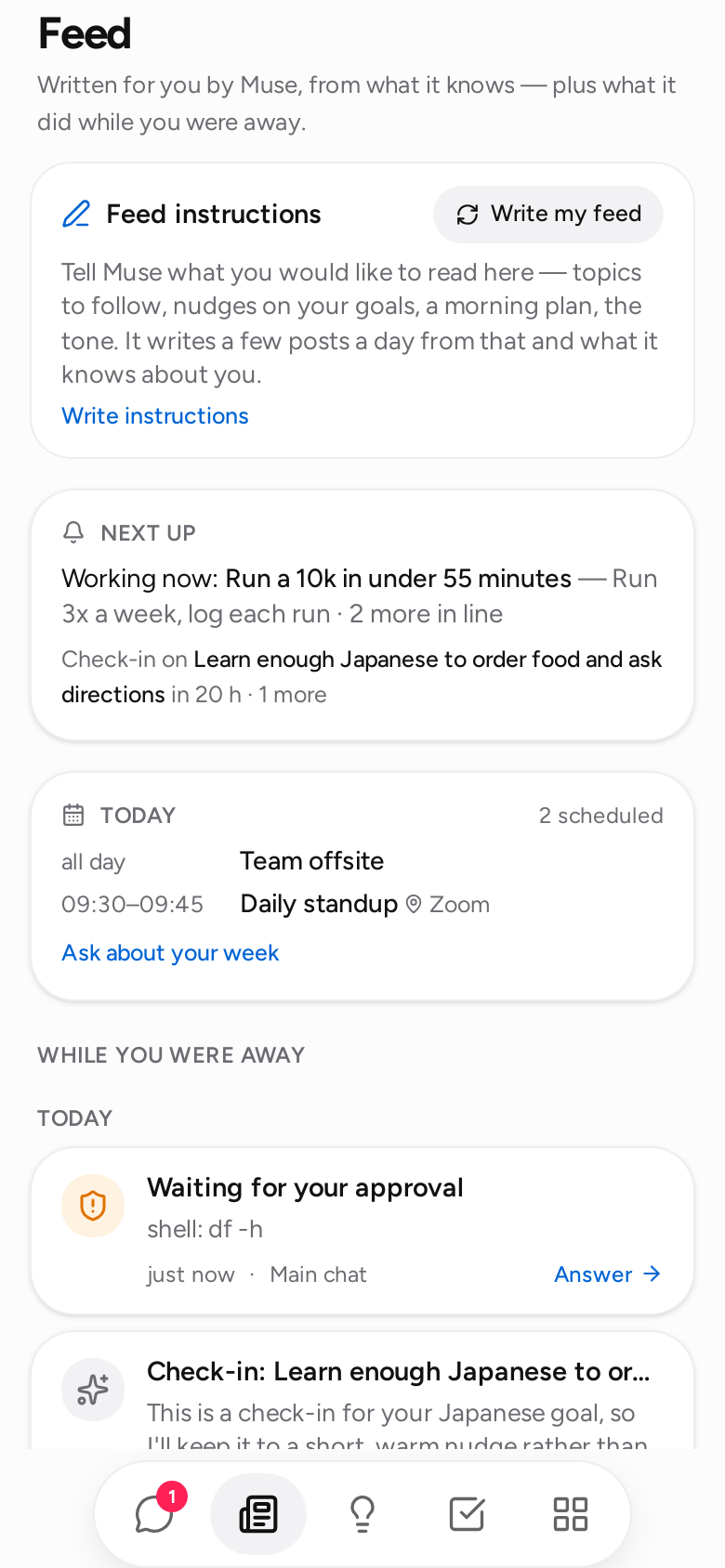
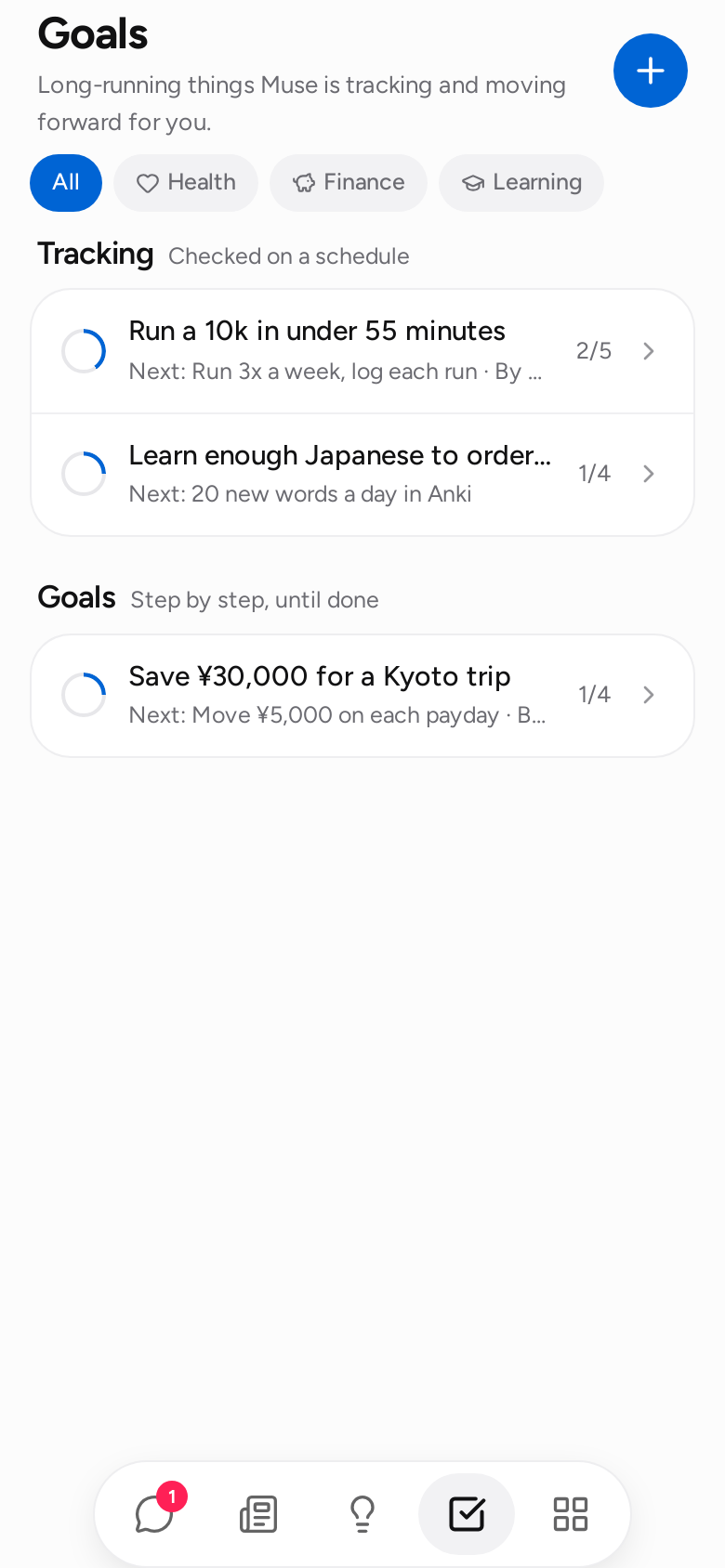
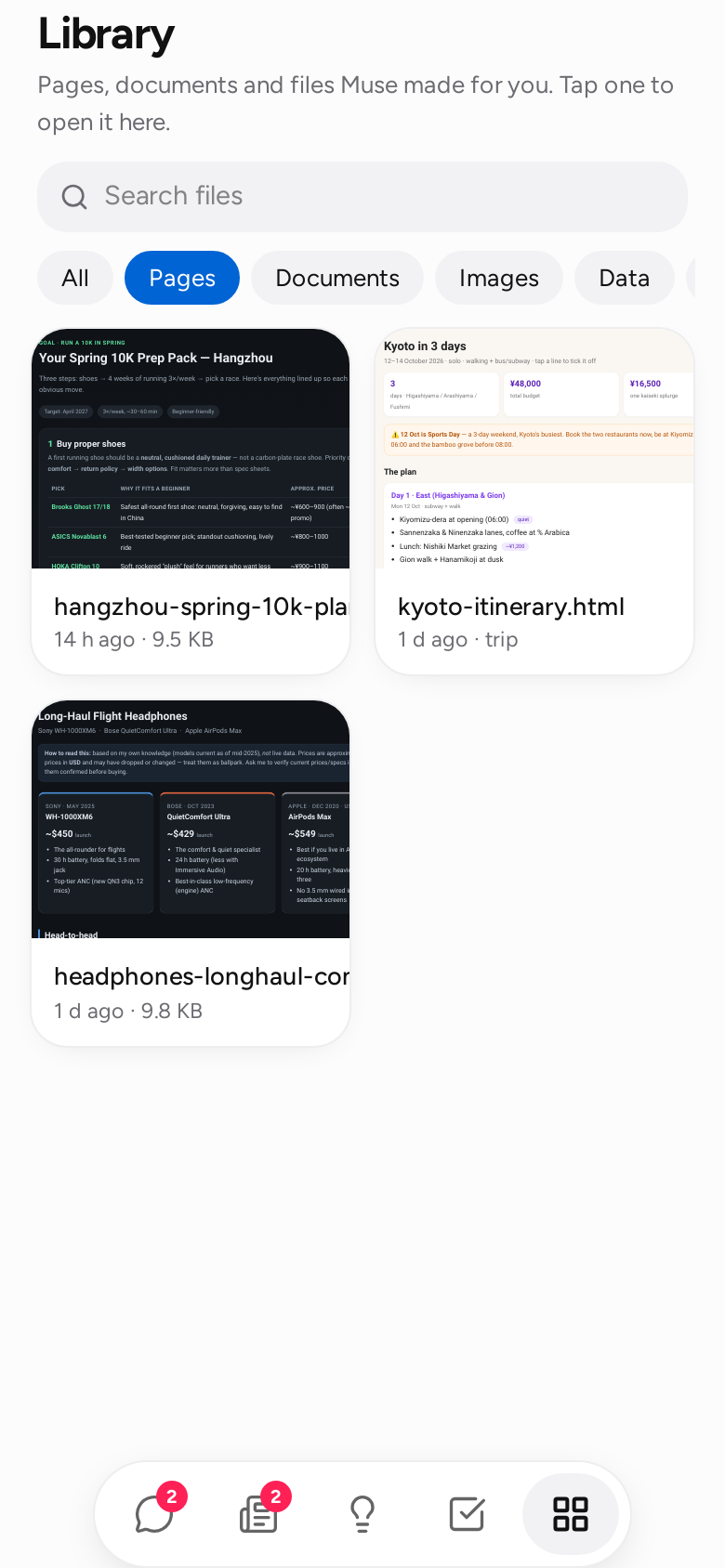
The same five screens on the phone, in a browser tab, or installed as a PWA. Approvals, permissions and what it did while you were away are one tap on the red panda. 手机、浏览器标签页或 PWA 里都是这五个屏幕。点一下小熊猫,就能看到待确认、权限,以及你不在时它做了什么。
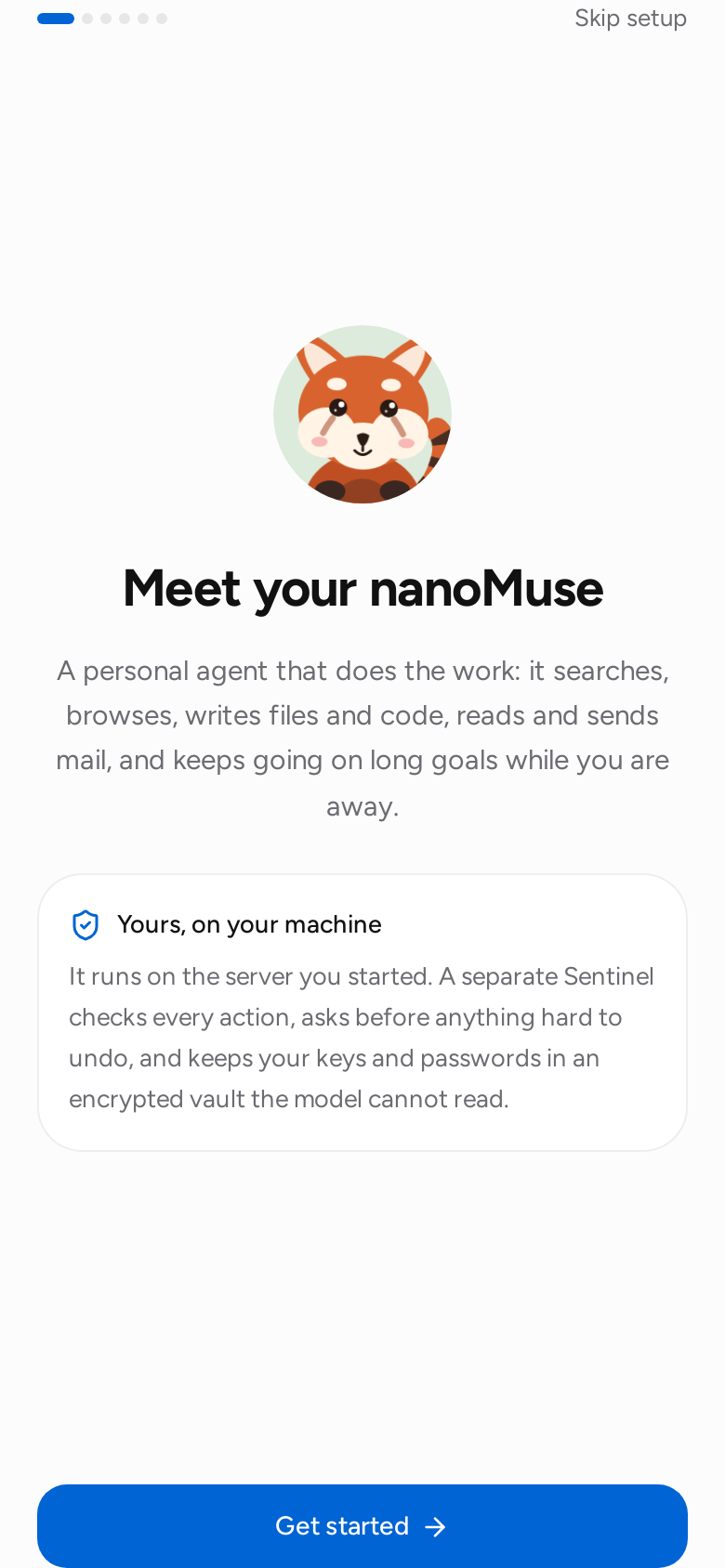
Yours, on your machine你的,跑在你的机器上
The model proposes; the Sentinel decides. It is a separate layer with its own rules, and the model never sees your secrets. 模型提议,Sentinel 决定。它是独立的一层,有自己的规则;模型永远看不到你的密钥。
- Allow, ask, deny放行、询问、拒绝 — per tool, per target, per domain. Grants for once, this task, a session, 24 hours, or always.——按工具、按目标、按域名。授权可以只这一次、这个任务、这次会话、24 小时或永久。
- Vault保险箱 — keys and passwords are
{{vault:NAME}}in configs and commands, resolved outside the model.——配置和命令里只写{{vault:NAME}},真正的值在模型之外填入。 - Sandbox沙箱 — commands run in bubblewrap with the folders you share and nothing else.——命令跑在 bubblewrap 里,只带你共享的目录。
- Trail留痕 — every action lands in an audit log you can read, and the Feed tells you in plain words.——每一步写入你能读的审计日志,Feed 用大白话告诉你。
Any model模型随你选
Anything with an OpenAI-compatible endpoint: DeepSeek, Qwen, Kimi, GLM, MiniMax, OpenAI, or Ollama on your own machine. Domestic endpoints need no proxy. 任何 OpenAI 兼容接口都行:DeepSeek、通义千问、Kimi、GLM、MiniMax、OpenAI,或者本机的 Ollama。国内接口不需要代理。
[llm]
provider = "openai"
model    = "deepseek-flash"
base_url = "https://api.deepseek.com"
api_key  = "${DEEPSEEK_API_KEY}"
Where it runs它跑在哪
Muse gives every user a cloud VM behind phone, web and desktop clients. nanoMuse starts on your own hardware and grows from there. Muse 给每个用户一台云端 VM,手机、网页、桌面端都连它。nanoMuse 从你自己的硬件起步,再往外长。
| nanoMuse | Meta Muse | |
|---|---|---|
| Phone手机 | Now现在 · Android app, your computer does the work, no cloud VMAndroid 应用,电脑干活,不依赖云端 VM | iOS, Android; cloud VMiOS、Android;云端 VM |
| Web网页 | Next下一步 · hosted, one VM per user托管版,每人一台 VM | muse.ai |
| Desktop桌面 | Later之后 · local and cloud-VM editions本地版和云端 VM 版 | Mac |
Install安装
Two minutes. The computer runs the agent; the phone is a window onto it.两分钟。电脑跑智能体,手机是它的窗口。
1 · Computer电脑
uv tool install nanomuse
export DEEPSEEK_API_KEY=sk-...
nanomuse serve --host 0.0.0.0
Prints a URL and a QR code. Open the URL in any browser for the full app.会打印一个链接和二维码。浏览器打开链接就是完整的 App。
2 · Phone手机
Download nanomuse.apk下载 nanomuse.apk, open it, tap Scan QR code and point the camera at the terminal. Same Wi-Fi, Tailscale, or your server behind TLS all work.安装后点扫描二维码对准终端。同一 Wi-Fi、Tailscale 或带 TLS 的服务器都可以。
Or Docker或者 Docker
docker run -d --name nanomuse -p 8787:8787 \
  -e DEEPSEEK_API_KEY=sk-... \
  -v nanomuse-data:/data \
  ghcr.io/nano-muse/nanomuse:latest